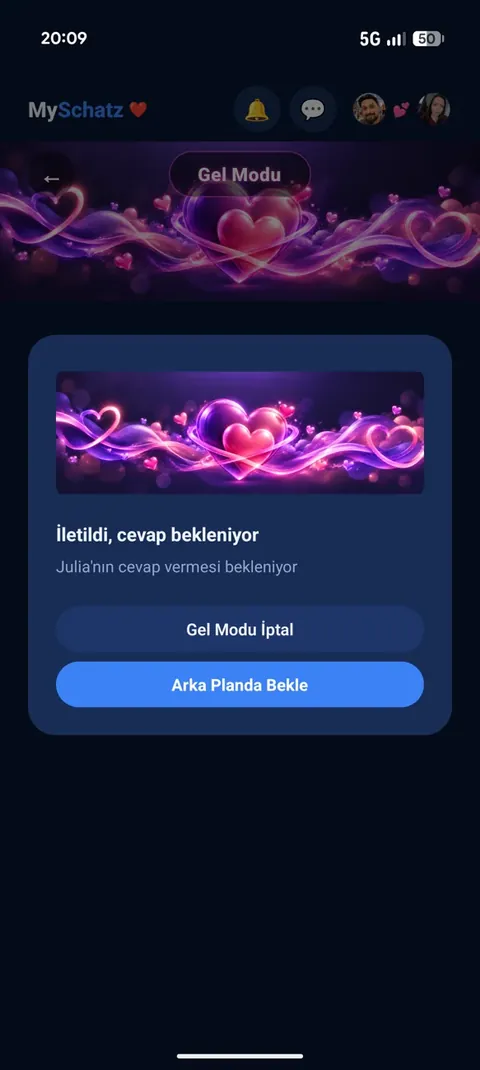
Come Mode
Ask your partner to come over and follow their response and arrival.
Sign up for early accessWhat is it for?
Sometimes you simply want your partner beside you.
Send a little request. If they accept, follow their distance and estimated arrival while they travel to you.
1. Ask your partner to come over
How to use it:
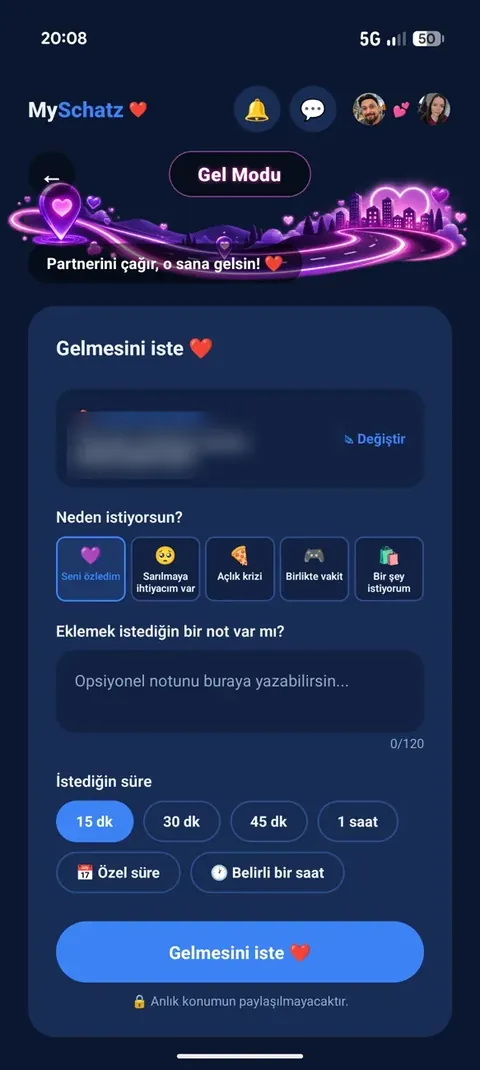
Choose a reason:
- I miss you 💕
- I need a hug 🤗
- I’m hungry 🍕
- Time together
- I need something
Add a short note if you like.
Choose a preset duration, your own time window or a specific arrival time, then send the request.
Your location is sent once as the destination. This does not continuously share your own live location.
What your partner sees:
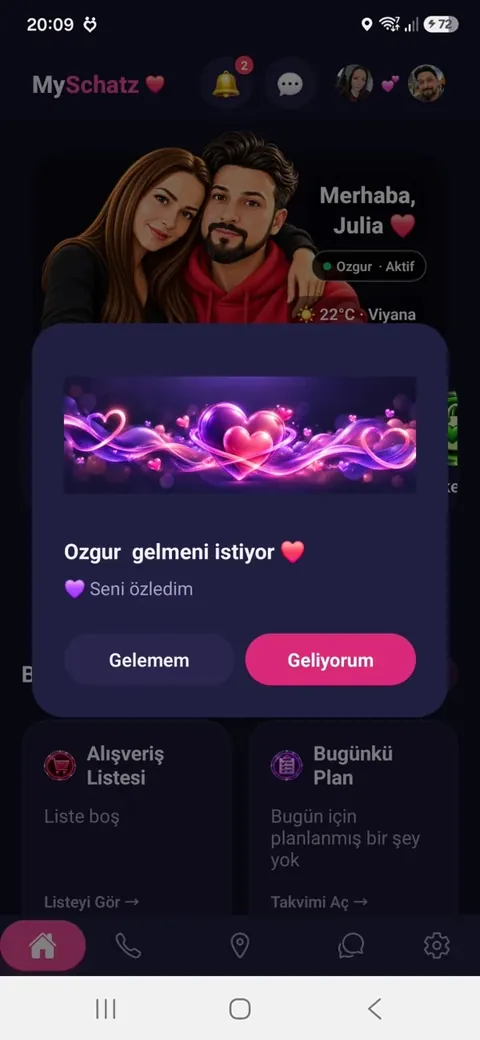
A full-page request shows your name, reason, note and requested time.
If the app is closed, they receive a notification.
2. Your partner replies
- “I can’t come”: You are notified and the request closes.
- “I’m coming”: You receive the good news and the journey starts.
Until then, you see “Delivered, waiting for a reply”. You can keep using the app or cancel the request.
3. During the journey
On your screen:
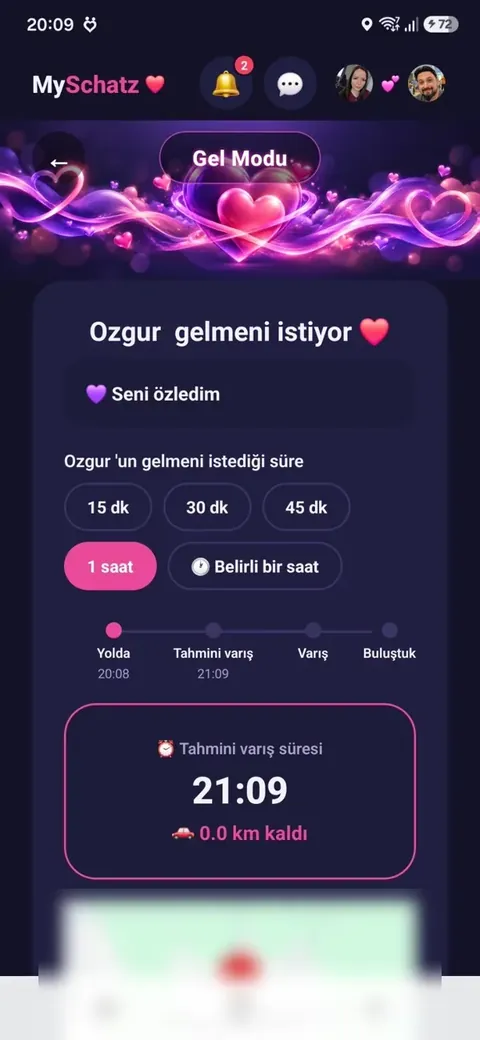
See the distance, estimated arrival and minutes remaining.
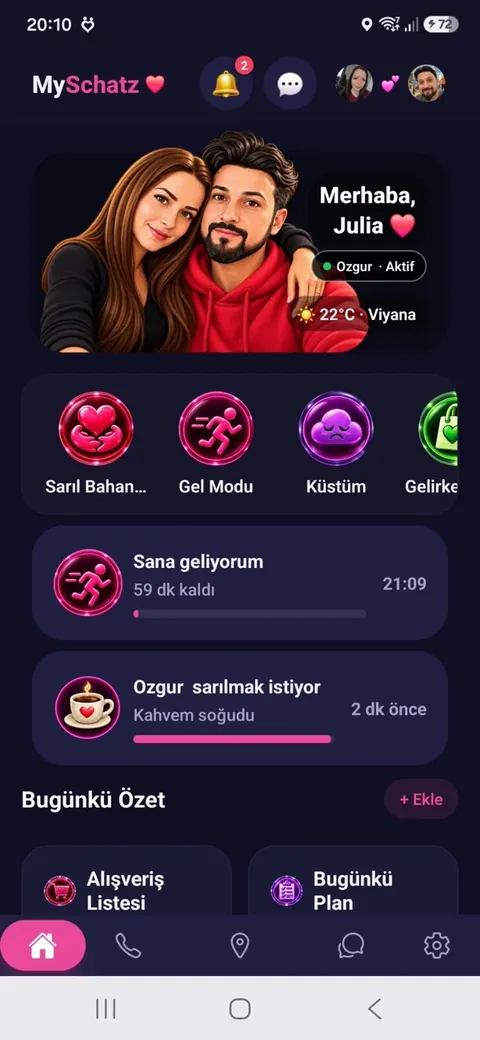
Follow the stages from “On the way” through “Arrival” to “Together”. The home screen also shows the remaining time.
On your partner’s screen:
“Directions” opens the route to you. They can also reach messages, calls and current-location sharing from this screen.
If they are late, a gentle notice shows the delay, such as “5 minutes late, still on the way”.
4. Together at last ❤️
On arrival, tapping “We’re together” ends Come Mode and stops location tracking.
Either partner can cancel the journey at any time.
Real app screenshots
Hold an image to enlarge it. Release to close.