Gift Box
Share gift wishes through hints without spoiling the surprise.
Sign up for early accessWhat is it for?
Wish for things you would truly enjoy without spoiling the surprise.
Your partner chooses a closed gift box using its hint and budget range.
1. Make your wish list
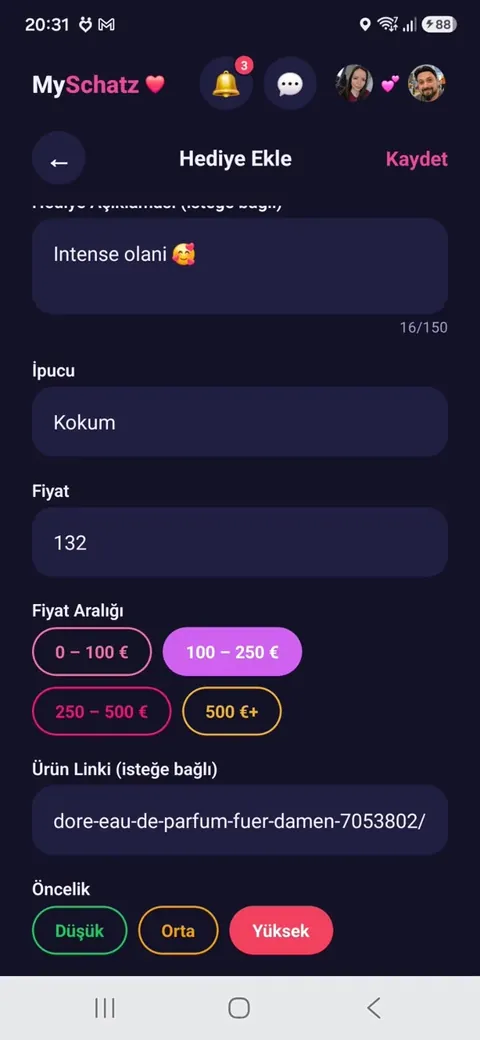
Under “My List”, tap “Add gift”.
Enter a name, optionally a photo and product link. Choose a price range and low, medium or high priority.
Add an intriguing hint, such as “Something that makes my mornings happier ☕”.
Your partner initially sees only the hint, not the gift itself. Your own list is protected by a PIN.
2. Browse your partner’s wishes
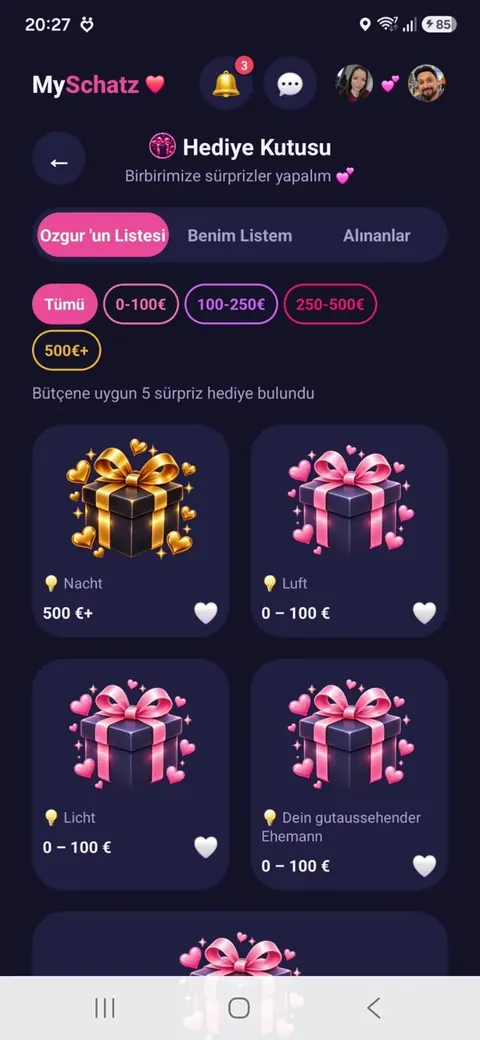
Their list shows closed boxes with a hint, price range and priority.
Use the budget filter to find suitable surprises.
3. Open a surprise 🎊
Confirm that you want to open the selected box.
You can then see its name, photo and product link. Opening it means you commit to that gift; this choice cannot be undone.
What your partner sees:
Nothing by default – the surprise stays hidden.
You can optionally notify them that you have arranged a gift. The actual gift still remains secret.
4. Give the gift
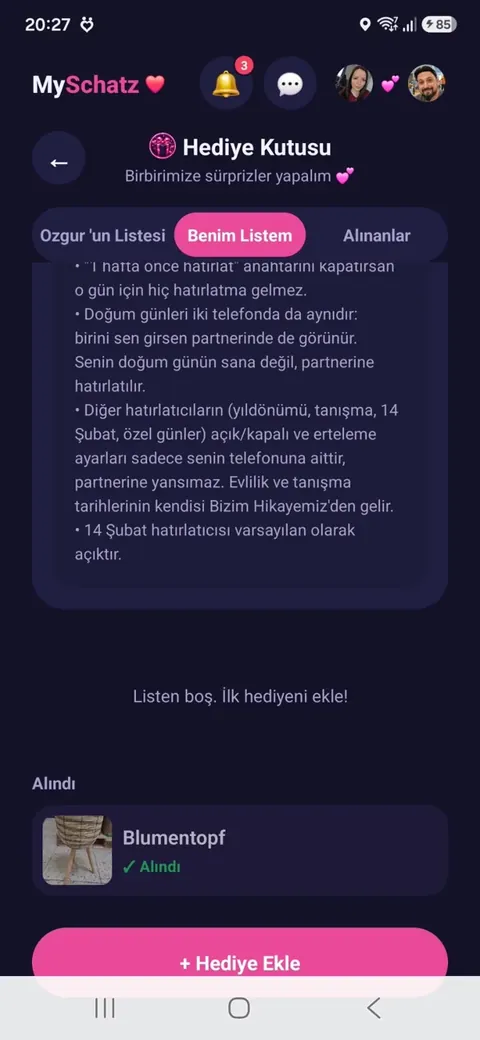
Opened gifts appear in the selected-gifts tab with the product link and time remaining.
You have 15 days to give the gift. During the final 4 days, you can extend by one week, up to twice.
After handing it over, tap “Given”.
If time runs out, your partner receives a gentle reminder that a surprise is waiting. It never reveals what the gift is.
5. Special days 🎂
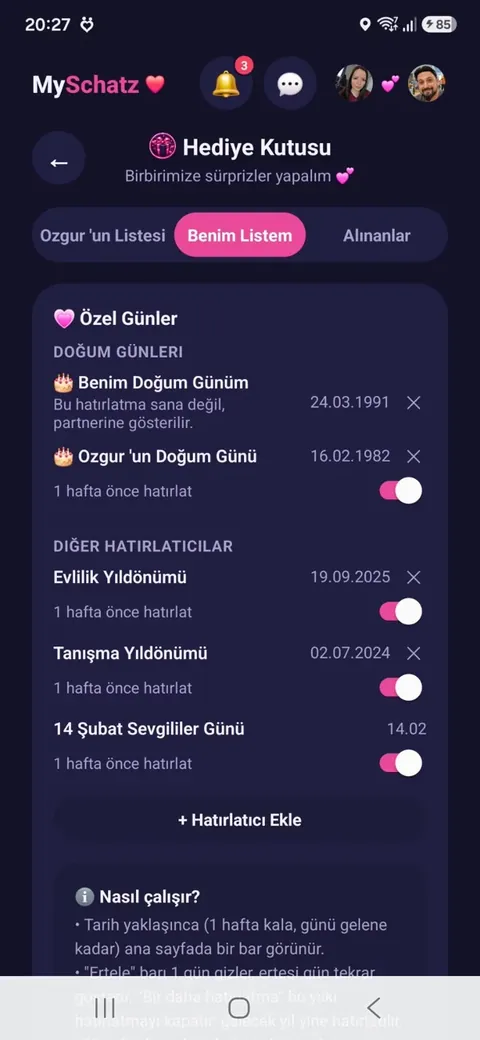
Add birthdays, wedding and first-meeting anniversaries or your own occasions. Valentine’s Day is already included.
During the week before an occasion, the home screen shows a countdown.
Snooze it for a day or dismiss it for that year.
Your birthday is a reminder for your partner, rather than for you – a lovely little hint.
Real app screenshots
Hold an image to enlarge it. Release to close.